OpenOffice.org 3.0 is 167 days away, but who's counting? Maybe the software developers are counting because they have a whopping 2,278 issues targeted for this release. Even though OpenOffice.org 2.4 is not yet out the door, let's see how far they've come with OpenOffice.org 3.0.
The redesigned splash screen and about dialog:

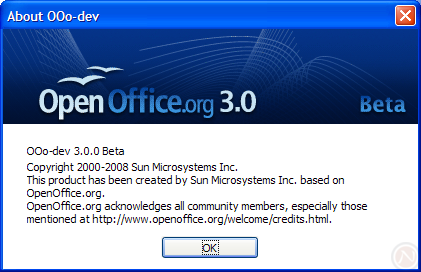
Please keep in mind this article is based off an alpha release, so many things will change before the final release.
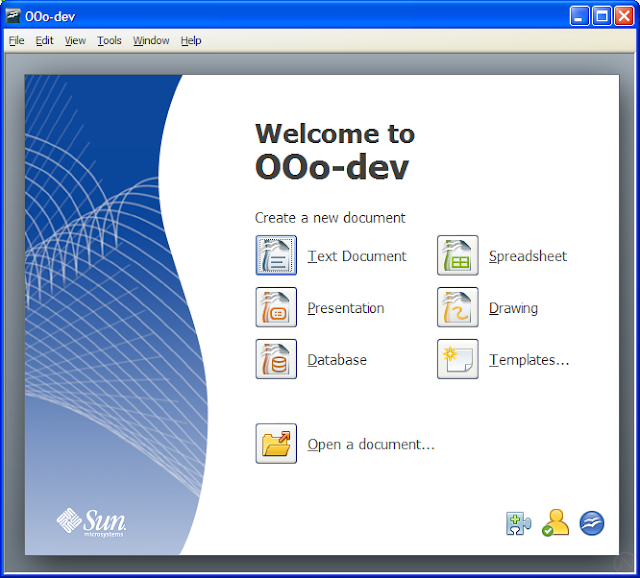
Start center
When OpenOffice.org 3 starts without a document and without a module (such as Writer), it presents the new Start Center.
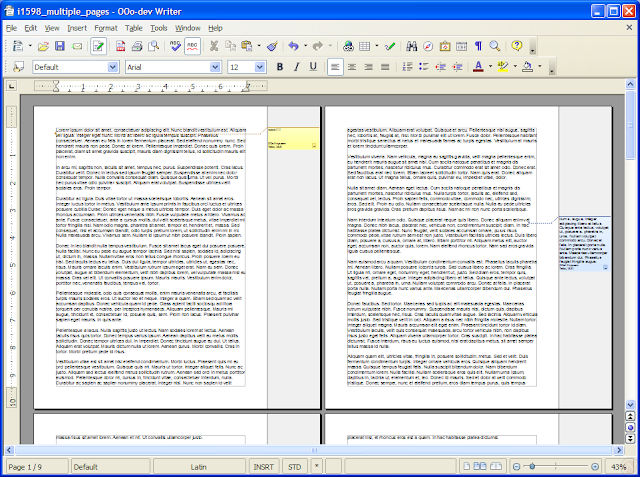
View multiple pages in Writer
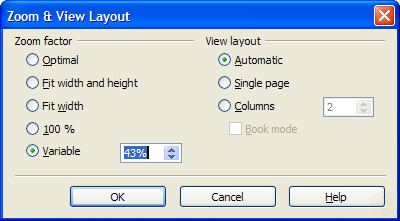
One of the most ever voted issues is viewing multiple pages in writer. Notice the two new controls in the statusbar (bottom-right-hand corner) of the first screenshot: the "View Layout" mode selection and the zoom slider. The "View Layout" control switches between a single page, several pages side by side, and book layout.

Pretty notes in the margin
The much anticipated improvement called Notes2 is nearly ready. It will refresh the look, introduce rich formatting and spell checking, aid accessibility, and boost usability while displaying notes in the margin.
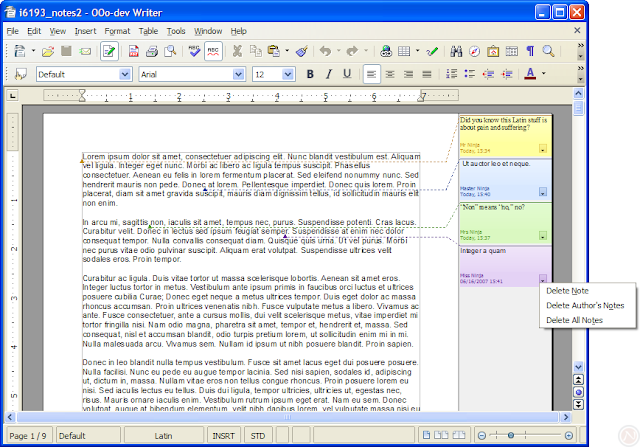
The current DEV300_m3 alpha release only supports marking a single point with a note; a later version will allow marking a selection of text with a note. However, 3.0 will not track changes in the margin.
Microsoft Office 2007 file format support
Microsoft Office 2007 (also called Office Open XML) file formats include .docx, .pptx, and .xlsx. Despite the similarity in names, these formats are significantly different than the Microsoft Office formats used since 1997. OpenOffice.org 3 offers native import.
OpenOffice.org 3.0 DEV300_m3 converted this reference .docx document with mediocre quality. The notable problems were tracked changes, a comment, columns, an image, and an embedded Excel document. For comparison, the same document is shown rendered in Word 2007 and in OpenOffice.org 3.0 DEV300_m3.
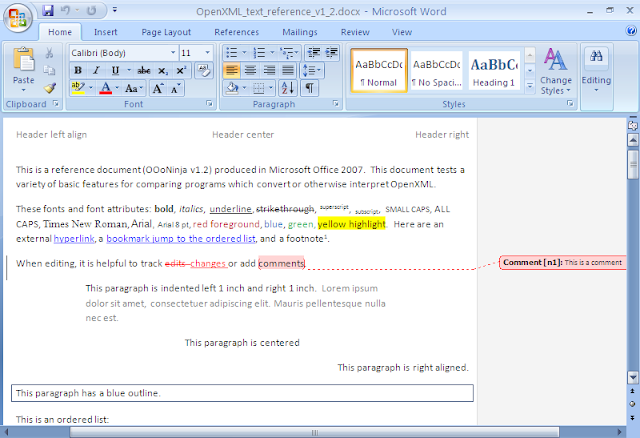
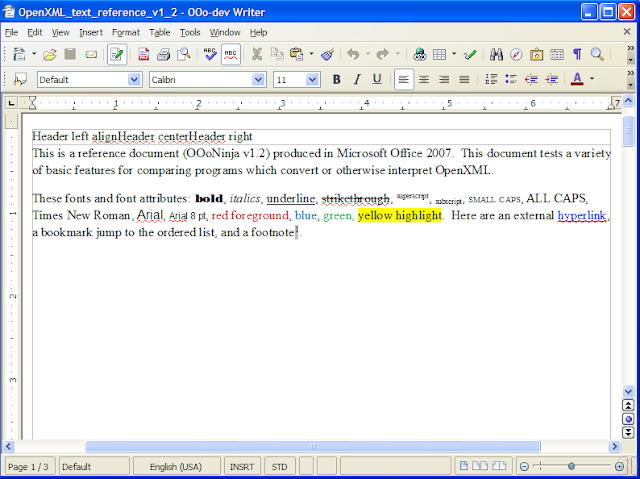
Surely the quality of conversion will improve before September's final release.
Tip: To access .docx, .xlsx, and .pptx files in OpenOffice.org 2.4, see previous Office 2007 file format articles and odf-converter-integrator.
Solver in Calc
It's the perfect solution for your linear optimization needs. The feature announcement explains:
Calc now has a linear optimization solver. It finds a set of input values that maximize or minimize an objective function, while satisfying a set of constraints.
A linear programming model is defined by formulas in spreadsheet cells, the objective and constraints are specified in a dialog. Input variables can be defined to be integer or binary (mixed integer linear programming).

Need a solver now? See Kohei's solver.
New theme in Calc
Calc 3.0 paints selections with translucence and renders column and row headers with a glass effect. Version 2.4 is shown first for comparison.


Native tables in Impress
Impress 3.0 has native tables. The new Table Design panel (shown on the right) makes it easy to apply colors.

Error bars in charts
Don't make any mistakes about it: OpenOffice.org is serious about improving charts for scientific uses. OpenOffice.org 3.0 has error bars in charts.


OpenOffice.org 2.4 also made progress in charts:
More columns in Calc
Calc 3.0 extends the maximum columns from 256 to 1024.

More
Wait, that's not all! Download now and you'll also get:
- Official support for Mac—using the pretty Aqua interface
- Performance improvements
- Simultaneous editing of spreadsheets by multiple users
- Cross-references to headings
- Updates to embedded fields in mail merges from Calc
- Displaying PostScript OpenType fonts on Linux and Solaris
- Titles for secondary axes in charts
- OpenDocument Format 1.2
- ...and much more! Issue Tracker: Issues marked fixed for 3.0 (number of issues will increase as September approaches)
What's missing
With months left to go, there's several pieces still missing.
- Importing standard PDF files
- Hybrid PDFs: fully editable PDFs with embedded OpenDocument files (issue 65397)
- Presenter view in Impres
- Dictionaries as extensions (to replace DicOOo)
- Macros in Base documents
- Bug testing
A year ago in OOoCon 2007's keynote address, Louis Suárez-Potts, Community Manager of OpenOffice.org, touched on many ideas for OpenOffice.org 3.0. Many are already fulfilled ahead of schedule in 2.4 or earlier: rectangular selection, wiki export, new chart module, and the Pentaho report engine.
However, one feature you may not see this year is an Outlook replacement. For years, there have been talks of including Mozilla's Thunderbird and Lightning (calendar) application with OpenOffice.org. However, not much as come of it yet. Perhaps with the financial resources of the new Mozilla Messaging Corporation, the Mozilla Calendar will get the boost it needs.
Conclusion
OpenOffice.org 3.0 will be an excellent release. To make it better, please see Top 12 reasons to test the OpenOffice.org 2.4 release candidate for a guide to testing any version of OpenOffice.org.
OpenOffice.org 3.0 downloads (marked DEV300 or BEA300, not OOH) are available from:
Developer snapshotsOpenOffice.org mirrors in the developer/DEV300_* subdirectoryPavel Janik's siteMac OS X port download page with Intel and PowerPC
64-bit Linux versions are not yet available. Caution: this is an alpha build and is not intended for everyday use. It may cause problems, so use it only for testing purposes.
UPDATED: Download the latest, stable release.
Related articles
- OpenOffice.org 3.0 beta?
- Galaxy icon set in OpenOffice.org 3.0
- Desktop start icon in OpenOffice.org 3.0
- Interactive picture crop in Draw and Impress in OpenOffice.org 3.0
- PDF import and hybrid PDFs as a new extension for OpenOffice.org 3.0
- New features in OpenOffice.org 2.4
- New Features in OpenOffice.org 3.1, an Early Look
Comments
SO STOP WHINING!!
we get around it by sending PDFs to outsiders and using OO for all in the office.
i am trying to figure out which things retain formatiing in Word, so i use that set ( this is same as using a subset of HTML so that browsers do not create issues).
can we collaborate on this?
OOo = 100% profitability.
I dont need to worry about Office 2010 and Office 2013 also.
now i am aslo using open office 3.0
It is opensource (and free, of course) too, and have many 'smart' features. :)
But if you work in a group, several people editing one document in the same time, I don't think OpenOffice good at it.
MS is too expensive for my country. The cheapest one is $300, it's 2 month salary for most of worker.
Well, that is actually a complaint I have with M$ Office; Each version of Office I have used, 97, XP, 2003,... stuff has been moved, the functionality renamed, etc,...
Having done software development for a product that has been in use for many years; I know from experience that our customers acquire muscle memory and expect features to remain in the same location / keystroke sequence. Change something and expect there to be complaints.
On the topic of OO only being half a suite,... I agree with the guy that said to go get other programs for the missing functionality. OO should just continue to become the best at what they do provide, adding only the features that make sense to be the best. So many great stand alone products, have become mediocre suites trying to do everything instead of remaining the best at what they did do.
I don't think it is a good idea to add more applications and I wonder why anyone would want to have an email agent included. It will only add to the load burden.
Although there are functional improvements in OO, I really wish they had exchanged the new eye candy for speed improvement. It is all very well if you open OO in the morning and only close it when you go home, but for people who do not use it all the time, the startup time is a serious stumbling block.
We would save a fortune moving to OO !
akrep ilaçlama akrep ilaçlama akrep ilaçlama akrep ilaçlama akrep ilaçlama
| böcek ilaçlama || ilaçlama || ilaçlama şirketi || ilaçlama şirketi || ümraniye ilaçlama || şirket ilaçlama || pire ilaçlama || ilaçlama firması |
| böcek ilaçlama || ilaçlama || ilaçlama şirketi || ilaçlama şirketi || ümraniye ilaçlama || şirket ilaçlama || pire ilaçlama || ilaçlama firması |
| böcek ilaçlama || ilaçlama || ilaçlama şirketi || ilaçlama şirketi || ümraniye ilaçlama || şirket ilaçlama || pire ilaçlama || ilaçlama firması |
by
the postmodern
savior_of_wife47@gmail.com
http://www.thepostmodern.net/
by
the postmodern
savior_of_wife47@gmail.com
http://www.thepostmodern.net/